
On your phone
Nur Delivery on iPhone
Add the delivery icon to your home screen for one-tap access to local stores. You can also order in a regular browser on your phone, tablet or computer.
Works in your browser. No App Store or Google Play account needed.
 Nur Delivery
 Cafe Joy
 Luni
iPhone
Safari
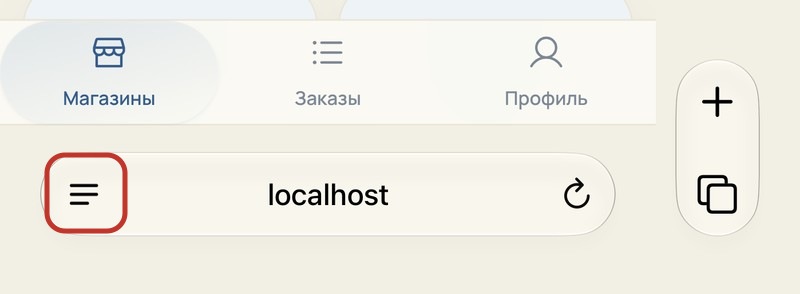
1. Open the Safari page menu
Open the catalogue in Safari using the button above. Tap the menu beside the address.
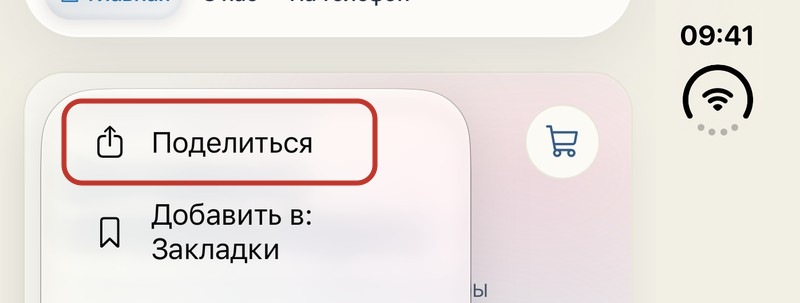
2. Tap Share
If the toolbar already shows the share arrow, tap it directly.
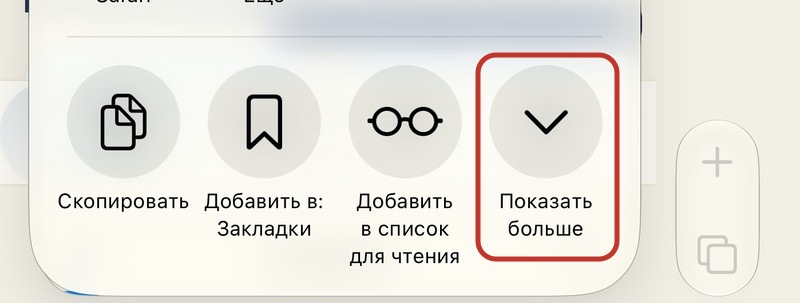
3. Expand the actions
Tap Show More if the actions are collapsed.
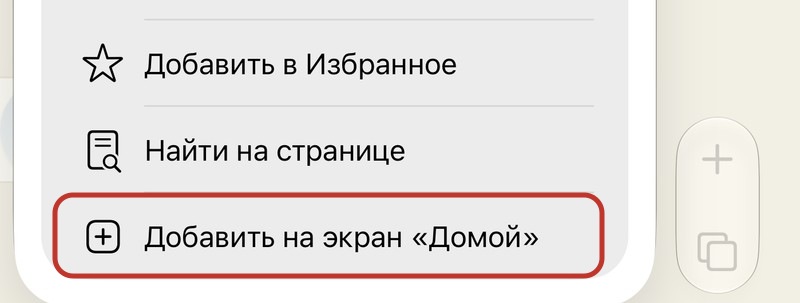
4. Choose Add to Home Screen
Scroll down to the action with the plus icon.
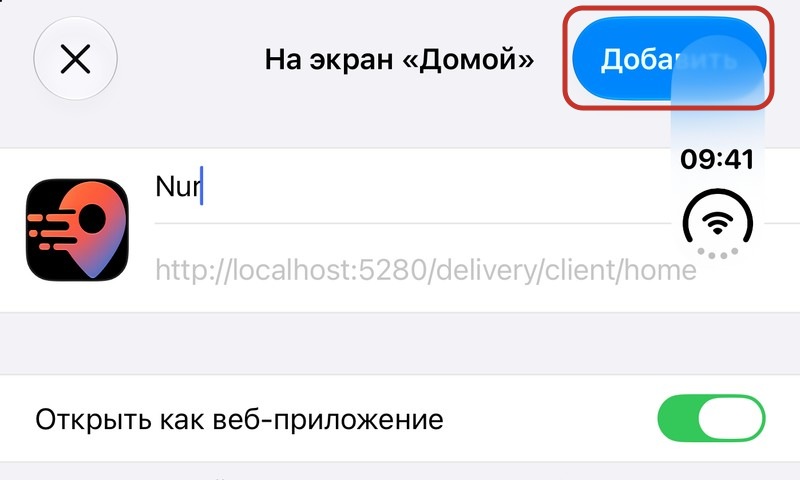
5. Tap Add
Enable Open as Web App if available, then confirm in the upper right.